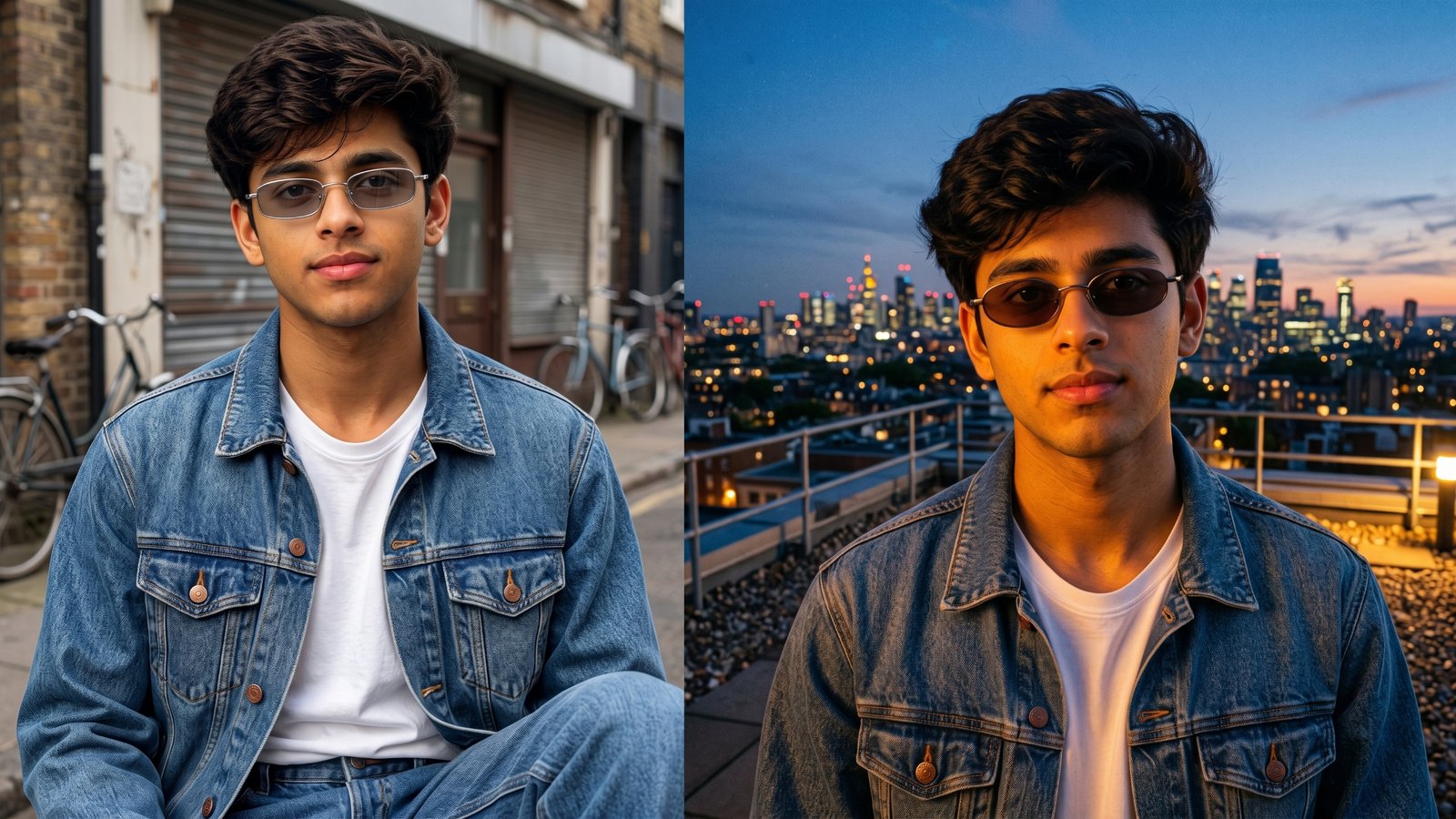
If you want that effortless 90s cool-guy look without digging through a thrift store, Gemini AI can get you there with a single photo and the right prompt. In this guide, I’m sharing 8 of my favorite 90s retro sunglasses prompts for boys — the kind that pull straight from the small rectangle frames, round metal shades, and colored-lens styles that defined the decade.
The 90s aesthetic is back everywhere right now, from runway shows to street style, and sunglasses are the fastest way to bring that nostalgia into a photo. I’ve tested each of these prompts myself, tweaking the wording until the frame shapes looked accurate and the face stayed untouched. Below, you’ll find the exact prompts, what each one creates, and tips to get the most realistic result from your own photo.
Here’s a quick look at all 8 styles before we get into the details.
| Prompt Name | What It Creates | Use Case |
|---|---|---|
| Prompt #1: Classic Small Rectangle Shades | Slim rectangular 90s sunglasses with a clean street-style look | Casual Instagram posts, everyday photo upgrades |
| Prompt #2: Round Metal-Rim Retro Look | Thin round metal frames inspired by grunge-era icons | Moody, artistic profile pictures |
| Prompt #3: Tinted Oval Cool-Guy Portrait | Oval frames with a warm amber or smoke tint | Laid-back, model-style portraits |
| Prompt #4: Colorful Lens Skater Vibe | Bold sunglasses with colored lenses and a skater backdrop | Fun, high-energy social posts |
| Prompt #5: Tortoiseshell Frame Throwback | Thick tortoiseshell acetate frames for a vintage finish | Warm, nostalgic outdoor shots |
| Prompt #6: Sporty Wraparound Shield Shades | Wraparound shield-style sunglasses inspired by 90s sportswear | Action-ready, athletic-themed photos |
| Prompt #7: Denim-on-Denim 90s Kid Look | Full 90s outfit with sunglasses as the finishing piece | Complete throwback fashion shoot |
| Prompt #8: MTV-Era Rooftop Portrait | Cinematic rooftop scene with retro sunglasses and city backdrop | Statement cover photos, aesthetic feeds |
Why 90s Sunglasses Are Trending Again
The 90s sunglasses comeback isn’t random. Fashion cycles tend to circle back roughly every 20 to 30 years, and right now the small frames, tinted lenses, and minimal metal shapes of that decade are showing up on runways and in street style photos again.
What makes this trend easy to recreate with AI is that it’s built on a handful of recognizable shapes:
- Small rectangle and oval frames — the sleek, narrow silhouettes seen on 90s supermodels
- Thin round metal frames — the grunge-inspired “John Lennon” look
- Tortoiseshell acetate — chunky, warm-toned frames with a vintage feel
- Colored or tinted lenses — pink, amber, smoke, and gradient tones
- Sporty wraparound shields — the skater and rave-culture staple
Once you know these categories, writing (or using) a prompt that nails the look becomes a lot easier — and that’s exactly what the prompts below are built around.
How to Use These Gemini AI Prompts
Before jumping into the list, a few quick pointers I always follow to get clean, realistic results:
- Upload a clear, front-facing photo with good lighting — Gemini works best when it can clearly see facial features.
- Paste the prompt exactly as written, then adjust small details like frame color or background if you want a different variation.
- If the face looks slightly off after generation, try regenerating once or twice — small seed variations can make a noticeable difference.
- Avoid group photos or heavily angled shots for your reference image; a straight-on or slightly angled headshot works most reliably.
Now, here are the 8 prompts.
Prompt #1: Classic Small Rectangle Shades
Concept: This prompt recreates the sleek, narrow rectangle sunglasses that were everywhere in 90s fashion editorials — think clean lines, a slim profile, and understated confidence.
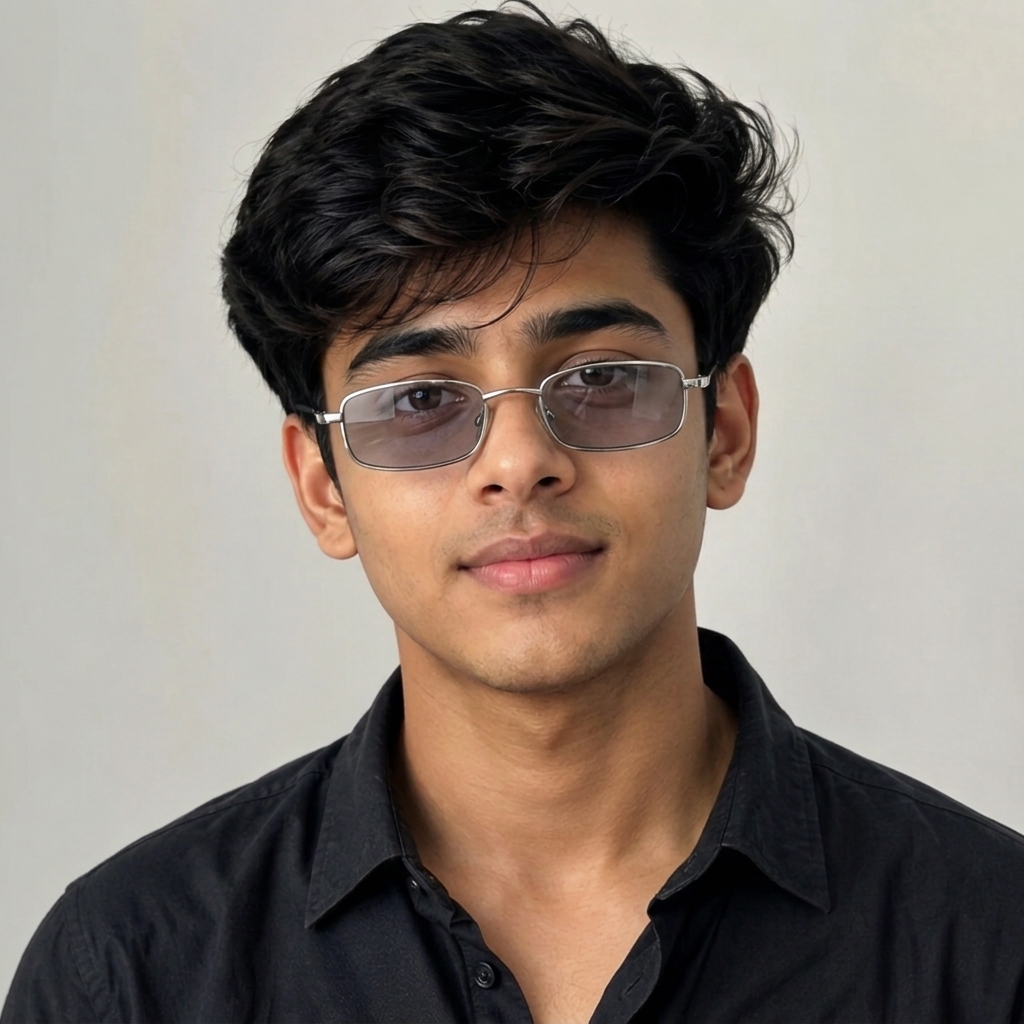
Prompt: Using the attached photo as reference, edit the image to add small, narrow rectangle-shaped 90s-style sunglasses with a thin silver metal frame and slightly tinted grey lenses. Keep the lighting natural and soft, matching a casual outdoor daylight setting. Preserve the person’s exact facial features, skin tone, expression, and proportions from the reference photo — do not alter the face in any way, only add the sunglasses realistically as if worn.
Best for: Everyday Instagram posts and simple profile picture upgrades.
Pro Tip: If your reference photo has warm lighting, ask Gemini to match the tint color to the surrounding tones so the sunglasses don’t look pasted on.
Explore more: 8 Brother Duo Instagram Trending Google Gemini AI Prompts
Prompt #2: Round Metal-Rim Retro Look
Concept: Inspired by the thin, round metal frames worn by 90s grunge icons, this prompt gives a moodier, more artistic edge to your photo.
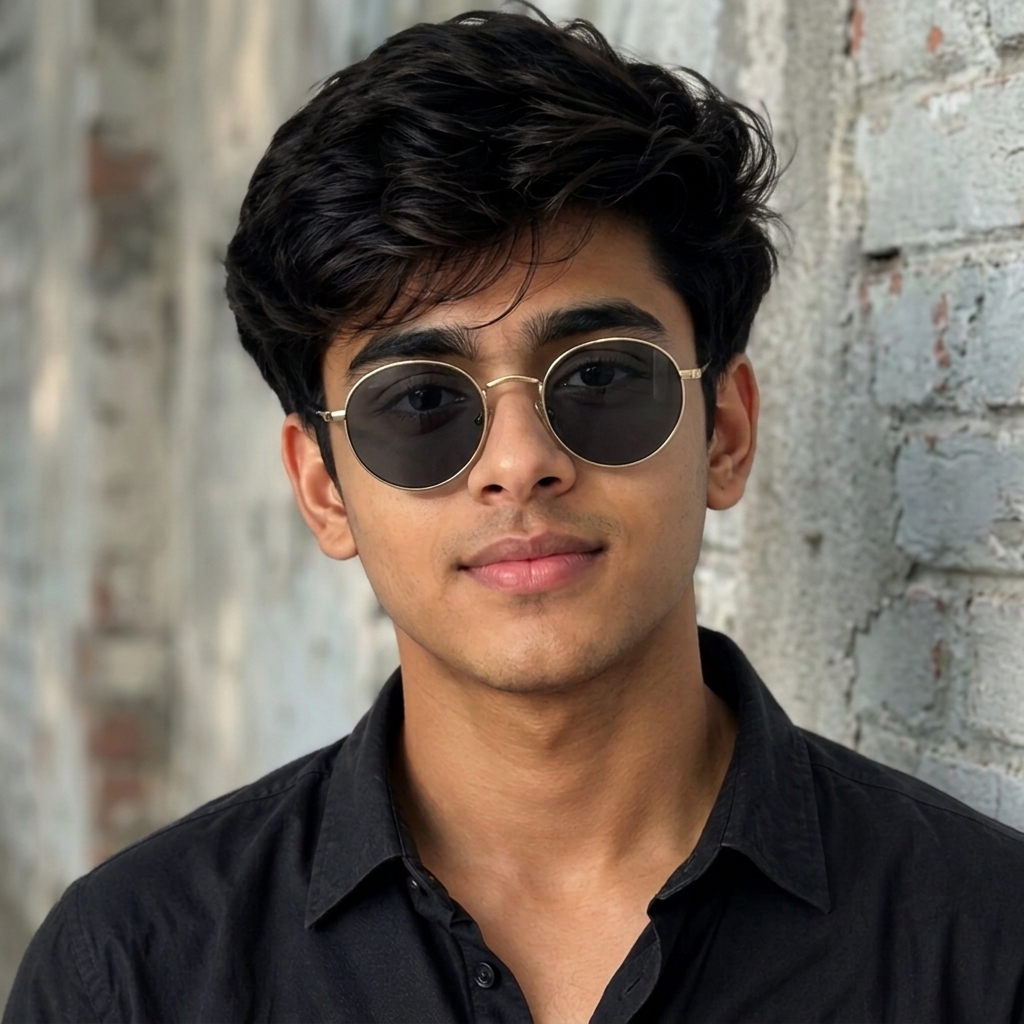
Prompt: Using the attached photo as reference, add thin round metal-rimmed sunglasses with a gold-toned frame and dark lenses, in the style of 1990s grunge fashion. Set the background to a slightly muted, textured urban wall with soft shadows. Preserve the person’s exact facial structure, skin tone, hair, and expression from the original photo without any changes — only add the sunglasses naturally onto the face.
Best for: Moody, artistic profile pictures with a rebellious edge.
Pro Tip: Pair this look with a plain or slightly desaturated background so the round frames stay the visual focus of the shot.
Prompt #3: Tinted Oval Cool-Guy Portrait
Concept: Oval frames with a warm tint were a staple among 90s style icons, giving off a relaxed, effortlessly cool energy that still photographs beautifully today.
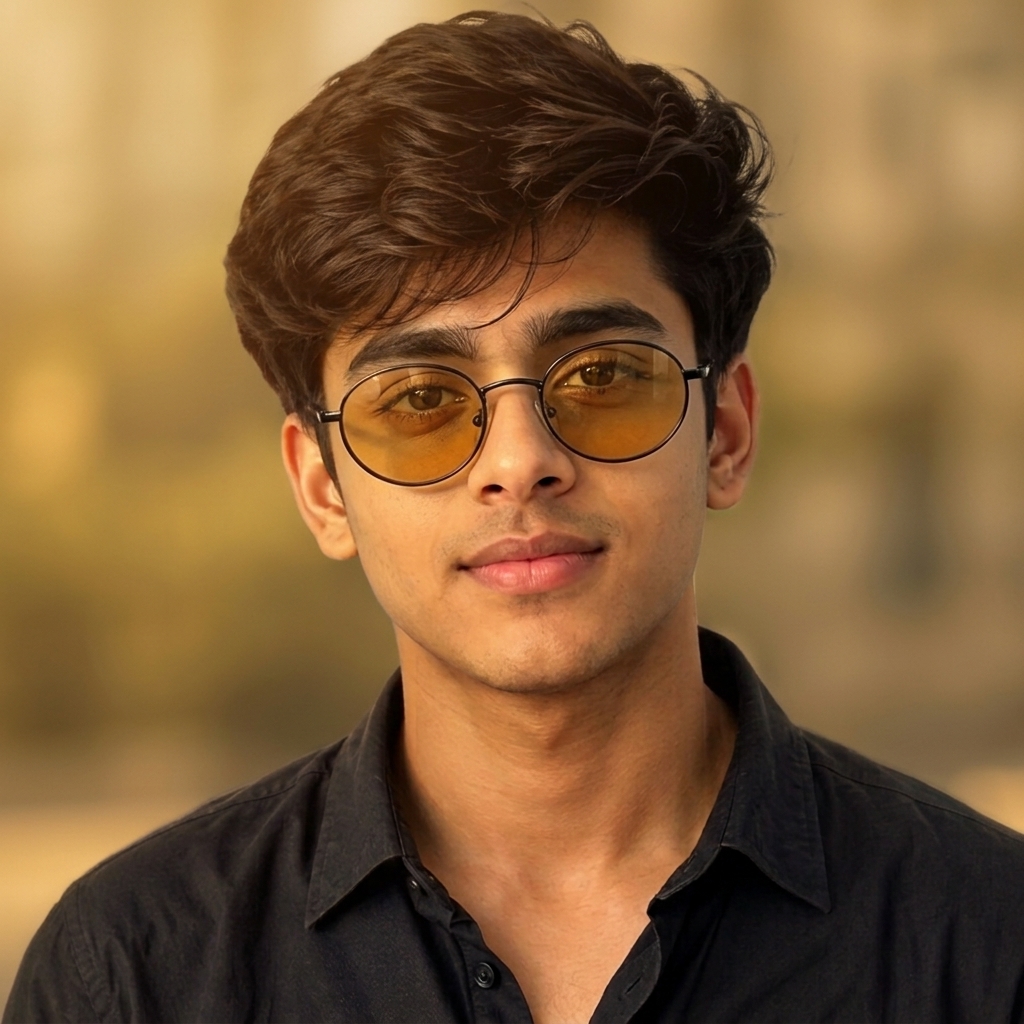
Prompt: Using the attached photo as reference, edit the image to add oval-shaped 90s sunglasses with a thin black frame and a warm amber-tinted lens. Style the shot with soft golden-hour lighting and a simple blurred background. Keep the person’s facial features, expression, and skin tone exactly as they appear in the reference photo — do not change any part of the face, only realistically add the sunglasses.
Best for: Laid-back, model-style portraits with a warm color palette.
Pro Tip: Golden-hour lighting works especially well with amber and honey-toned lenses — try generating this one in the late afternoon light setting for the most natural look.
Prompt #4: Colorful Lens Skater Vibe
Concept: Bold, colored lenses were a signature part of 90s skate and street culture, and this prompt brings that same playful, high-energy feel into a modern photo.
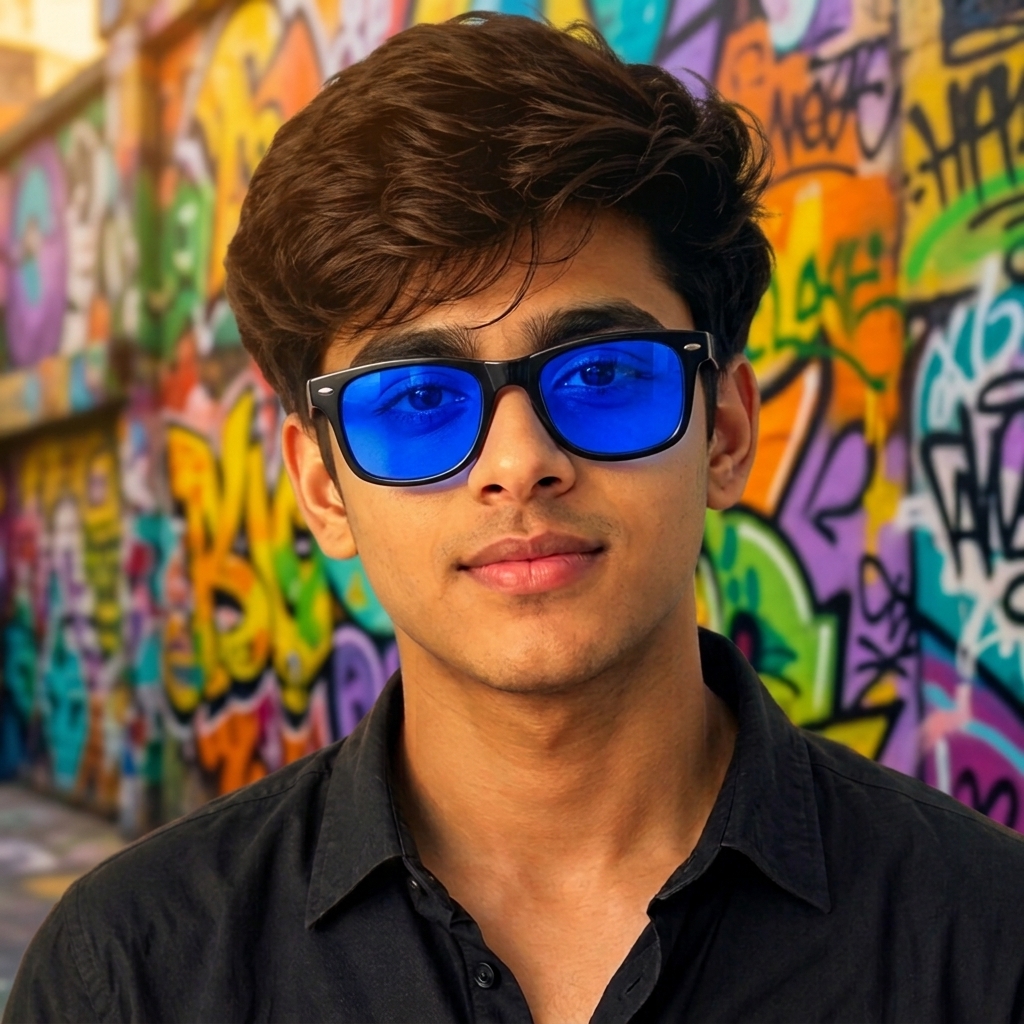
Prompt: Using the attached photo as reference, add bold 90s-style sunglasses with a bright colored lens tint (choose blue, pink, or yellow) and a simple black or clear plastic frame. Set the scene against a graffiti-style urban background with vibrant, slightly saturated colors. Preserve the person’s exact face, features, and expression from the original photo without modification — only add the sunglasses realistically.
Best for: Fun, high-energy social media posts and skate-culture themed shots.
Pro Tip: If the colored lens feels too intense, ask for a “light tint” version so the eyes remain faintly visible through the lens for a more natural finish.
Prompt #5: Tortoiseshell Frame Throwback
Concept: Thick tortoiseshell acetate frames bring a warmer, more vintage feel compared to the sleeker metal styles, and they pair especially well with earthy, autumn-toned photo settings.
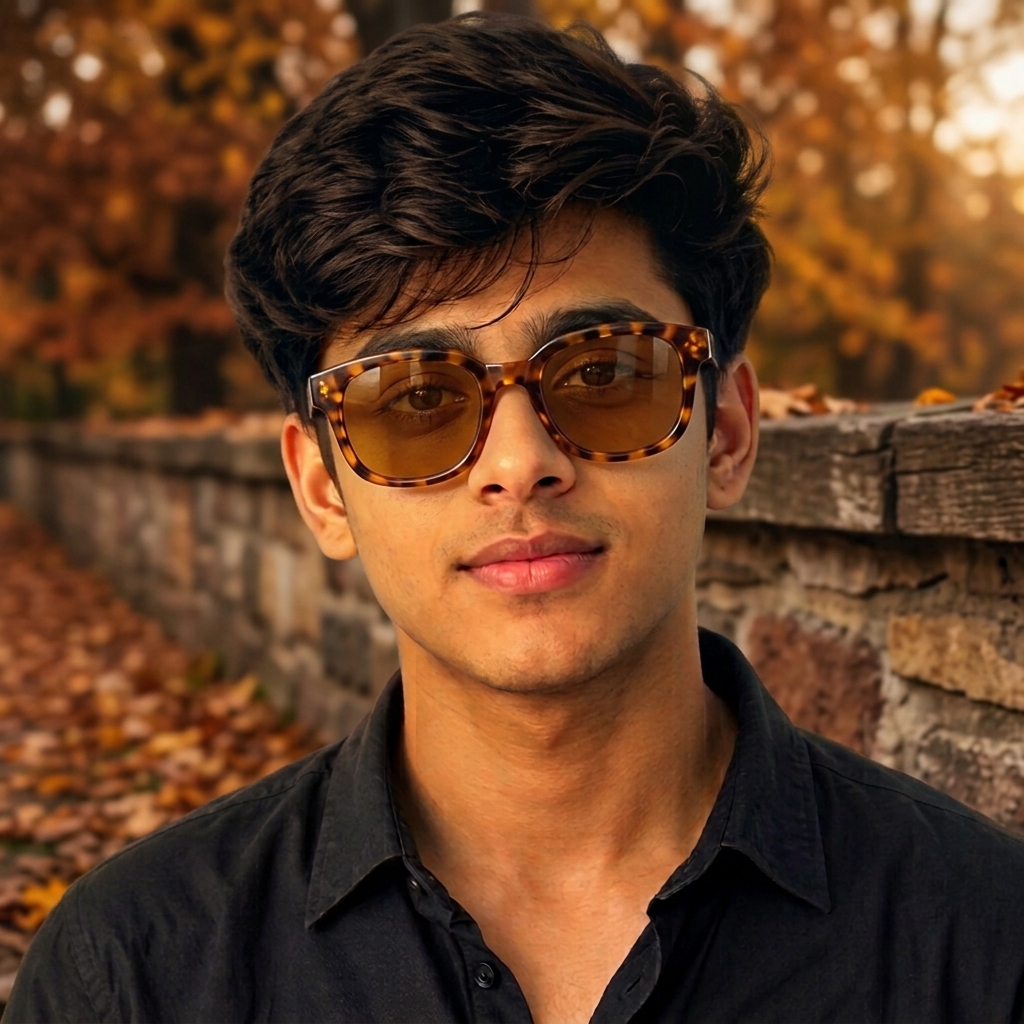
Prompt: Using the attached photo as reference, edit the image to add thick tortoiseshell-pattern 90s sunglasses with a rounded square shape and warm brown-tinted lenses. Style the background with warm, earthy autumn tones and natural outdoor lighting. Keep the person’s facial features, skin tone, and expression identical to the reference photo — do not change the face, only add the sunglasses as a realistic addition.
Best for: Warm, nostalgic outdoor photo shoots.
Pro Tip: Tortoiseshell frames tend to look most authentic against a slightly warm color grade, so consider asking for a subtle sepia or warm filter on the overall image.
Prompt #6: Sporty Wraparound Shield Shades
Concept: Wraparound shield sunglasses came out of 90s performance sportswear before crossing over into mainstream fashion, and they’re one of the boldest looks on this list.
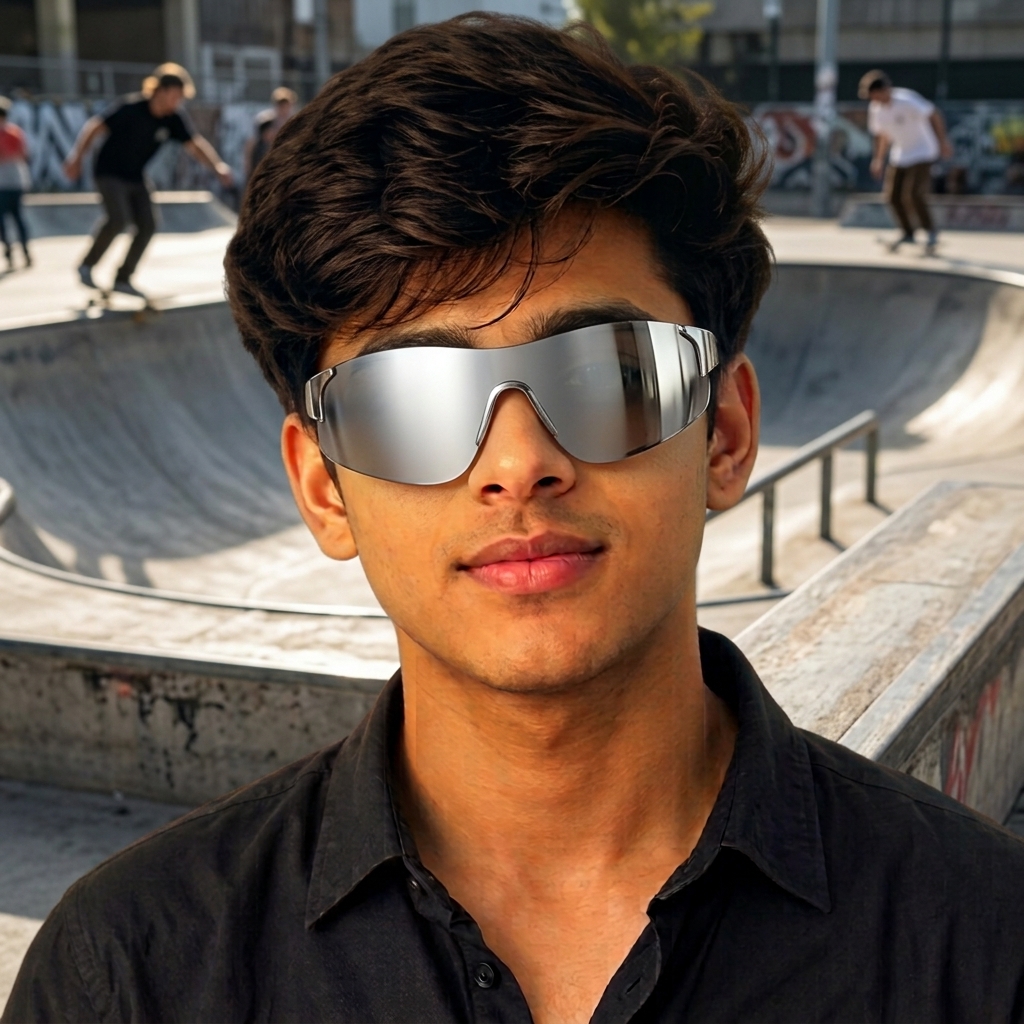
Prompt: Using the attached photo as reference, add wraparound shield-style 90s sunglasses with a sleek single-lens design in a mirrored silver or blue tint, similar to classic 90s sport sunglasses. Set the background to an outdoor, active setting like a skate park or street with dynamic lighting. Preserve the person’s exact face, proportions, and expression from the reference photo — do not alter any facial features, only add the sunglasses realistically.
Best for: Action-ready, athletic-themed photos with a bold statement look.
Pro Tip: This shape reads best in a slightly angled or three-quarter pose rather than a straight-on shot, since the wraparound curve shows off better from the side.
Prompt #7: Denim-on-Denim 90s Kid Look
Concept: This prompt goes beyond just the sunglasses, building out a full head-to-toe 90s outfit so the retro sunglasses feel like part of a complete look rather than an isolated accessory.
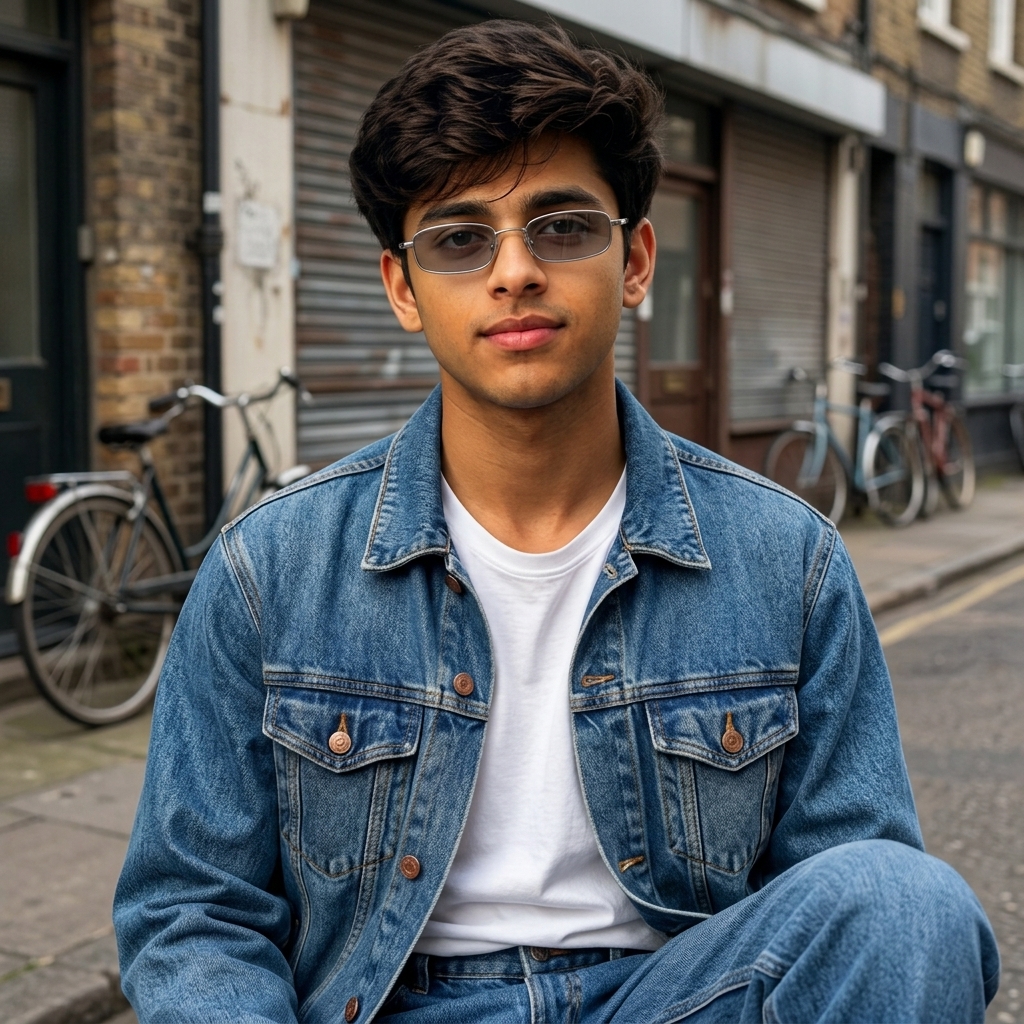
Prompt: Using the attached photo as reference, edit the image to add small rectangular 90s sunglasses along with a denim-on-denim outfit (denim jacket and jeans) styled in classic 1990s fashion. Set the background to a simple urban street scene with soft natural lighting. Keep the person’s facial features, hair, skin tone, and expression exactly as shown in the reference photo — only add the sunglasses and clothing realistically without changing the face.
Best for: A complete throwback fashion shoot rather than just an accessory swap.
Pro Tip: Keep the denim wash consistent (either both light-wash or both dark-wash) for a more authentic 90s denim-on-denim finish.
Prompt #8: MTV-Era Rooftop Portrait
Concept: This one is built for a statement shot — a cinematic rooftop scene reminiscent of 90s music videos, with the sunglasses acting as the finishing detail on a bold, confident portrait.
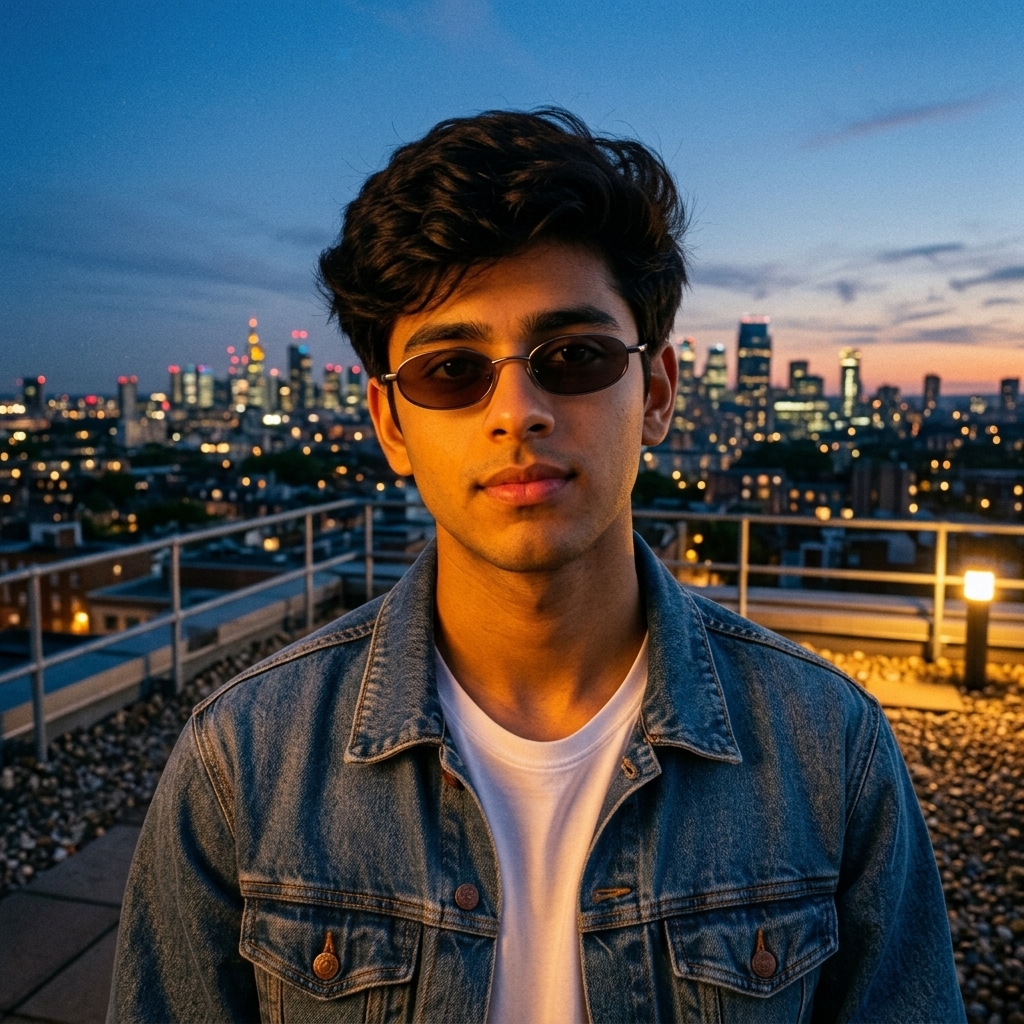
Prompt: Using the attached photo as reference, add small oval or rectangle-shaped 90s sunglasses with a dark tinted lens, and set the scene on a rooftop at dusk with a city skyline in the background and warm ambient lighting, similar to a 1990s music video aesthetic. Preserve the person’s exact facial features, expression, and skin tone from the reference photo — do not modify the face, only add the sunglasses and background realistically.
Best for: Statement cover photos and aesthetic feed centerpieces.
Pro Tip: Ask for a slight film-grain texture on the final image — it adds to the authentic 90s photography feel without looking overdone.
Frequently Asked Questions
What sunglasses shapes were most popular in the 90s?
Small rectangle and oval frames, thin round metal rims, tortoiseshell acetate, and sporty wraparound shields were the most recognizable 90s sunglasses shapes. Colored and tinted lenses were also a defining part of the look.
Can Gemini AI keep my face looking natural when adding sunglasses?
Yes, as long as your prompt specifically asks Gemini to preserve facial features, skin tone, and expression from the reference photo. That instruction is what keeps the result looking like an edit rather than a completely different face.
What kind of reference photo works best for these prompts?
A clear, front-facing or slightly angled photo with good, even lighting gives the most reliable results. Avoid blurry images, extreme angles, or photos where the face is partially covered.
Do I need to specify a background, or will Gemini choose one?
You can leave the background out of the prompt if you’re happy with your original photo’s setting, but specifying one — like an urban street or rooftop scene — gives you more control over the final mood of the image.
Final Thoughts
The 90s sunglasses trend is one of the easiest retro looks to recreate with AI because it comes down to a few clear frame shapes and lens tones — small rectangles, round metal rims, tortoiseshell acetate, colored lenses, and sporty wraparounds. Pick whichever style matches the vibe you’re going for, paste in the prompt, and let Gemini do the rest while keeping your actual face untouched.
Which of these 90s looks matches your style best — the sleek rectangle shades or the bold wraparound shield? Try one of these prompts on your own photo, and if you’re looking for more themed prompt ideas, explore the related guides linked throughout this article.